
Plavidian account
A tour of your account
Your Plavidian account keeps every Plavidian job in one record, right through to the postal reports, whether it was ordered online in a few minutes or quoted first. This tour shows what that record holds and what you can do in it, before you create an account. The account is free and takes minutes to set up.
Product, quantity, mail class, and options priced from the live catalog. Accept it and the estimate becomes the job with nothing re-entered.
Artwork and the mailing list upload straight into the job with descriptions. Each side of the artwork is checked on its own page and graded A to F, with any issues highlighted on the preview. No email chain to reconstruct, no guessing which attachment was final.
Proofs render in a high-resolution viewer with page navigation and zoom. Approve, request changes, or share for review from someone else's screen.
With the camera verification add-on, the live dashboard reads every piece as it runs and reconciles the run to your list, piece by piece.
Intelligent Mail barcode scans report movement once the mailing is inducted. Postage and postal documentation sit on the job.
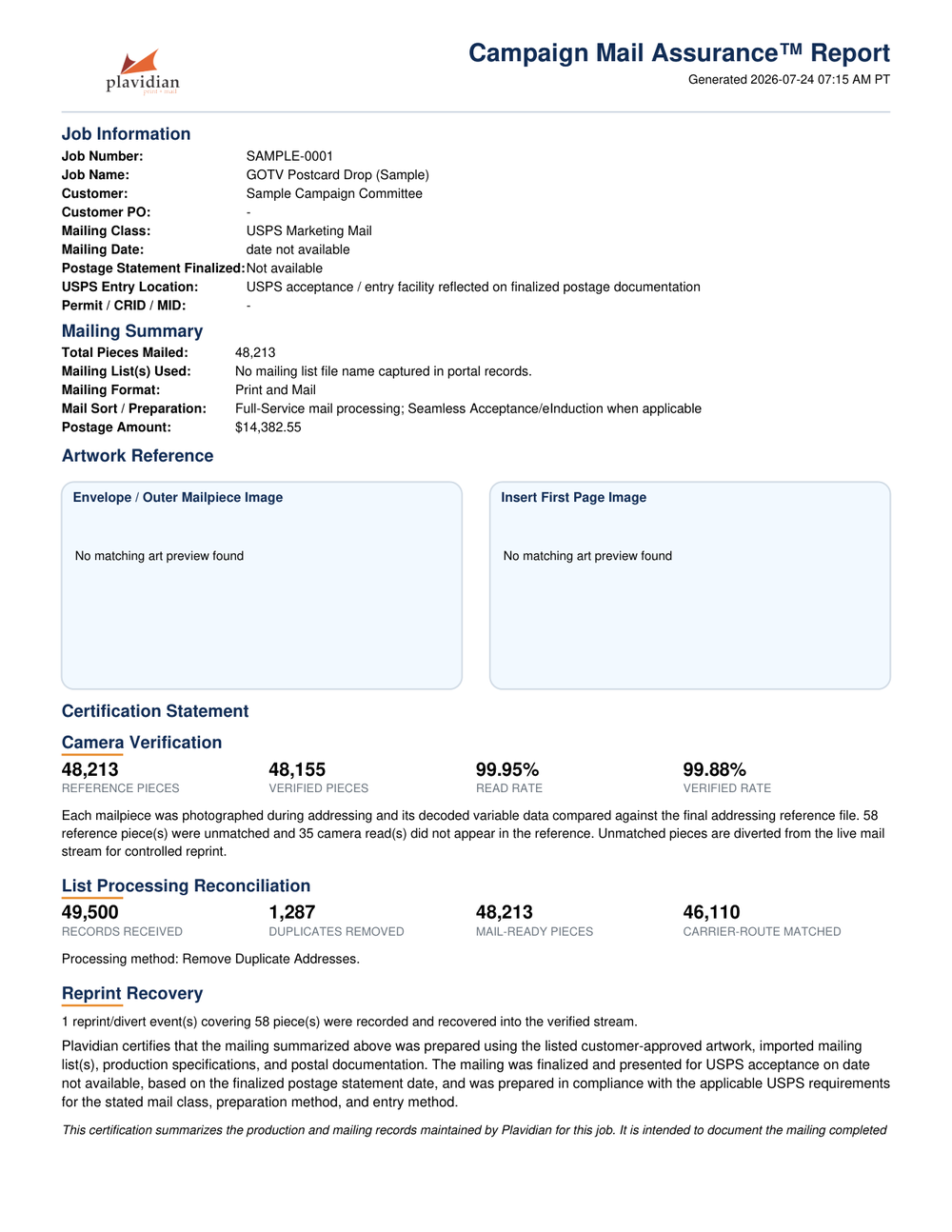
Plavidian Sentry™ and Plavidian Impression™ reports stay in the record. The Plavidian Assurance™ Report is the version built to hand to a treasurer or chief of staff.
Before Production
Estimates, files, and proofs
Estimates & job creation
Request an estimate or build a job directly: product, quantity, mail class, and options, with pricing that reflects the current catalog. An accepted estimate becomes the job with nothing re-entered.
File exchange
Artwork and mailing lists upload straight into the job record with descriptions, so there is no email chain to reconstruct and no wondering which attachment was final.
Proof review
Proofs render in a high-resolution viewer with page navigation and zoom. Approve, request changes, or share a proof with a colleague for review from their own screen.
Saved artwork
Approved artwork stays on file with your account, sized to the exact product it ran on, so a reorder starts from the art that already worked.


During Production
Status you can check instead of chase
The job page shows where the work stands as it moves through production. On jobs with camera verification, the live dashboard reads every piece as it runs and reconciles the run to your list.

After the Mail Drops
Postage, tracking, invoices, and reporting
Postage & postal reports
Postage summaries and postal documentation live on the job, so what was mailed and what it cost are answers you look up, not questions you send.
Tracking
Intelligent Mail barcode scans report movement once the mailing enters the mailstream. See Plavidian Insight™ for how piece tracking works.
Invoices
Invoices attach to the job with line detail, and the financial summary keeps estimate, final price, and postage in one view.
Reporting
Jobs that run Plavidian Sentry™ or Plavidian Impression™ carry their reports in the record. The Plavidian Assurance™ Report is the version built to be handed to a treasurer or chief of staff.

Watch It Run
A two-minute look at a live job
Prefer to watch? This short walkthrough follows one job from estimate through camera verification to the final report.
Video walkthrough coming soon. In the meantime, the interactive tour above and the free account show the real thing.
Create a Free AccountSee it with your own job in it
A free account includes the full Plavidian Workbench and online estimates.
Related
Mail tracking and verified production
How mail is followed from the Intelligent Mail barcode printed on the piece to the USPS scans that show it reached delivery.
- piece-level USPS mail tracking with Plavidian Insight
- what the Intelligent Mail barcode encodes
- Intelligent Mail barcodes and Informed Delivery guide
- Plavidian Insight piece tracking (encyclopedia)
- Plavidian Assurance reconciled production reports
- piece-level camera verification add-on (Plavidian Sentry)
- piece-level verified mail production explained
- political mail printing that is tracked and verified
- Informed Delivery campaigns (Plavidian Impression)
- USPS service standards and in-home dates in 2026
- Plavidian Mailing Intelligence overview